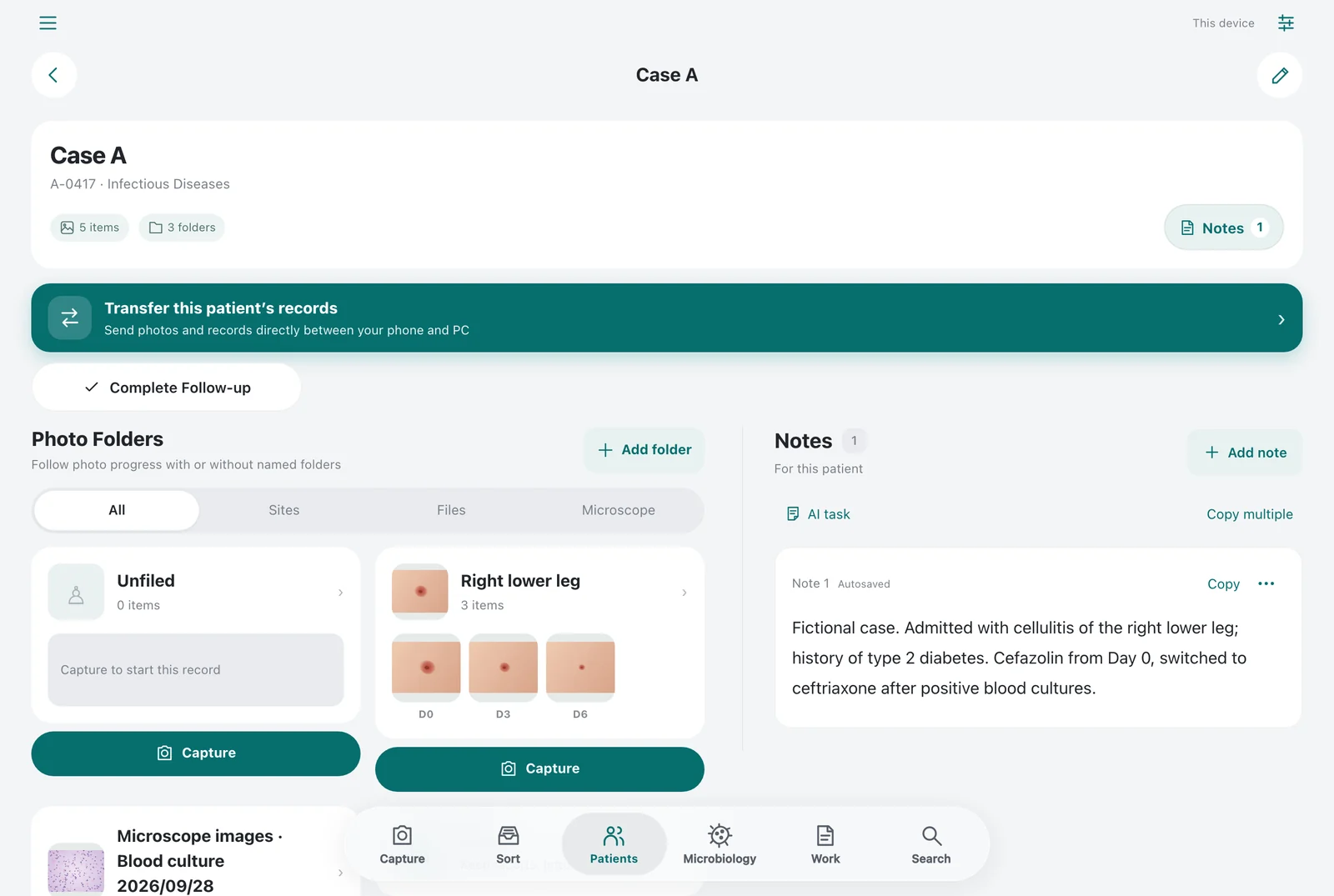
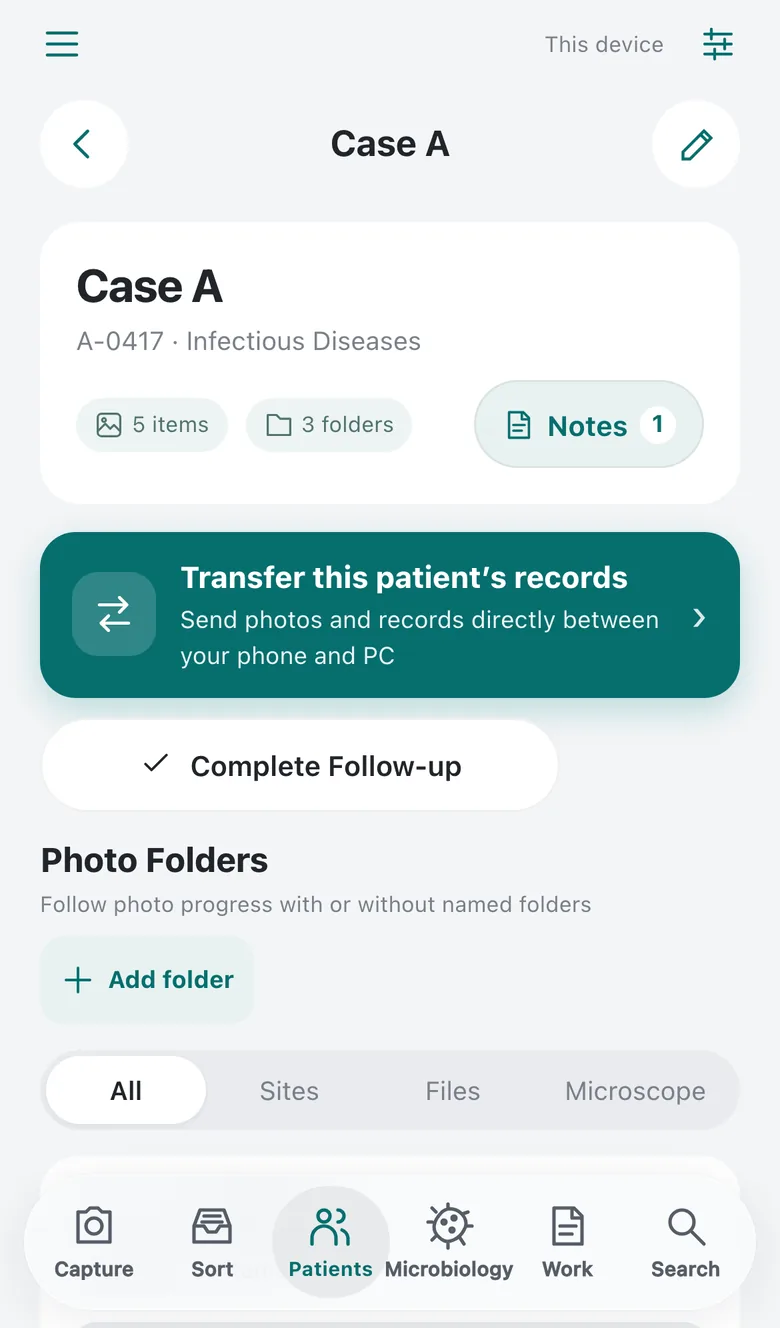
Compare the first visit with follow-up.
Keep photos of rashes and ulcers by patient and site, then put the first or previous visit next to today’s photo.
A web app for clinical photos.
Organize the photos you take by patient and site, and compare the course on your phone or computer. Paste the photos you need straight into slides and documents.
Intended for work devices owned and managed by a healthcare institution. Obtain your institution’s approval and follow its operating policies.
It does not diagnose, assess or recommend treatment, and it is not a repository for official medical records.
In practice
Use it to keep a photographic record of the course, or to keep test results and treatment records together. Here are three specialties as examples.
Keep photos of rashes and ulcers by patient and site, then put the first or previous visit next to today’s photo.
Keep wound and scar photos in a folder for each site, then place before and after side by side for case review and presentations.
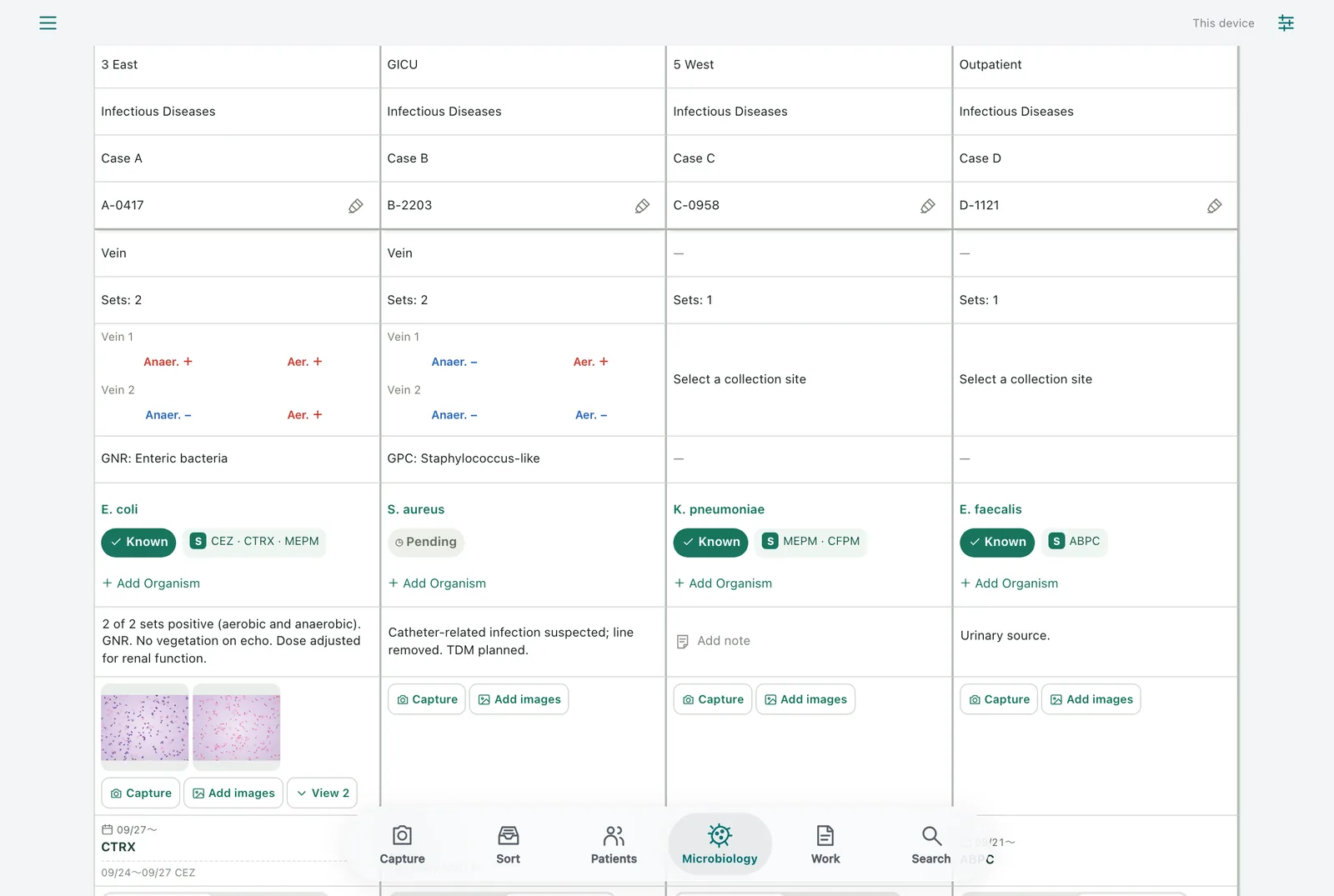
Record organisms, susceptible antibiotics, the antibiotics being given and every change for blood cultures and resistant organisms, with microscope images attached.
Features
All screens are real, with fictional patients and generated images. Press a screen to enlarge it.
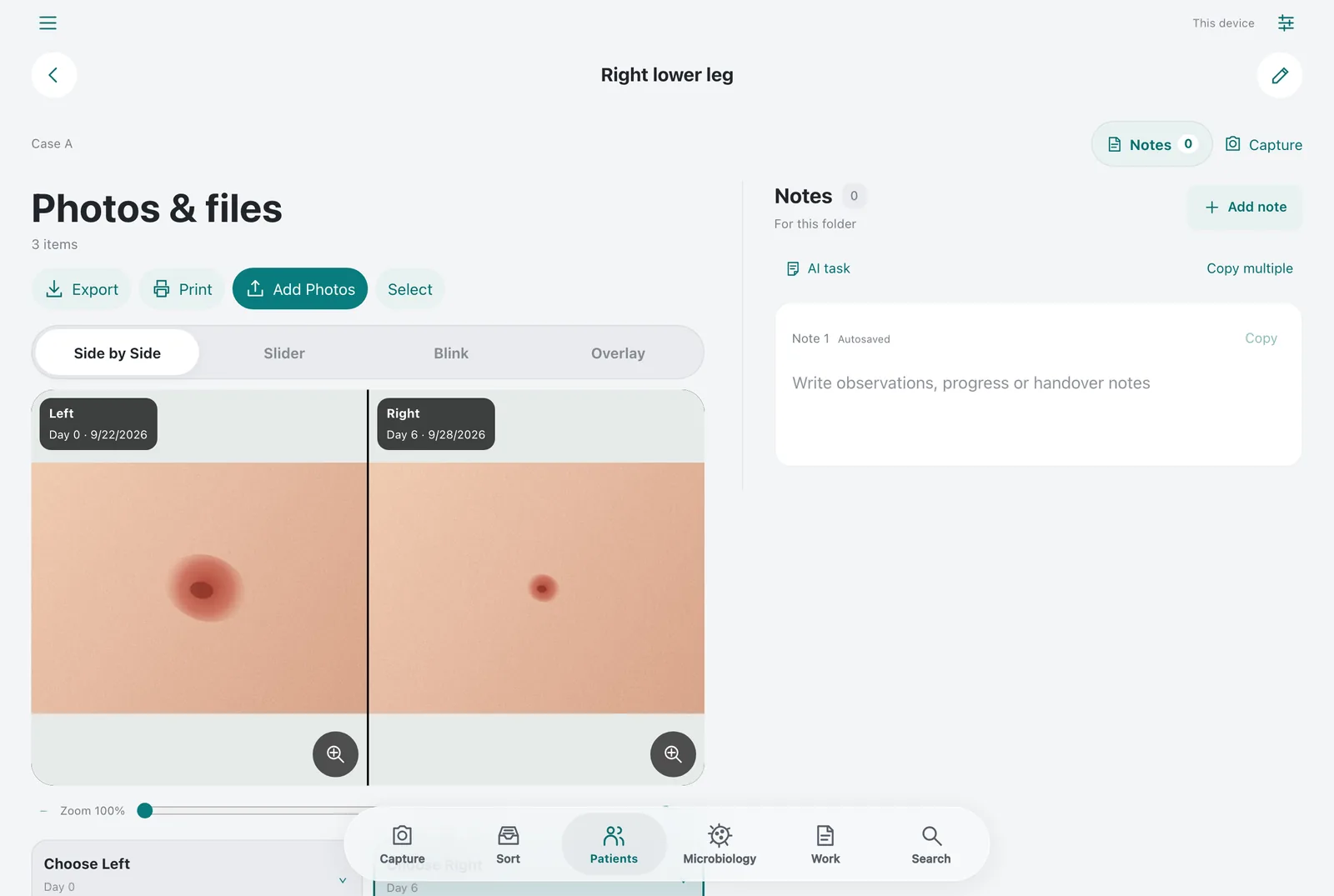
Comparison
Pick two photos from a site and see them together: first visit and follow-up, or before and after surgery.
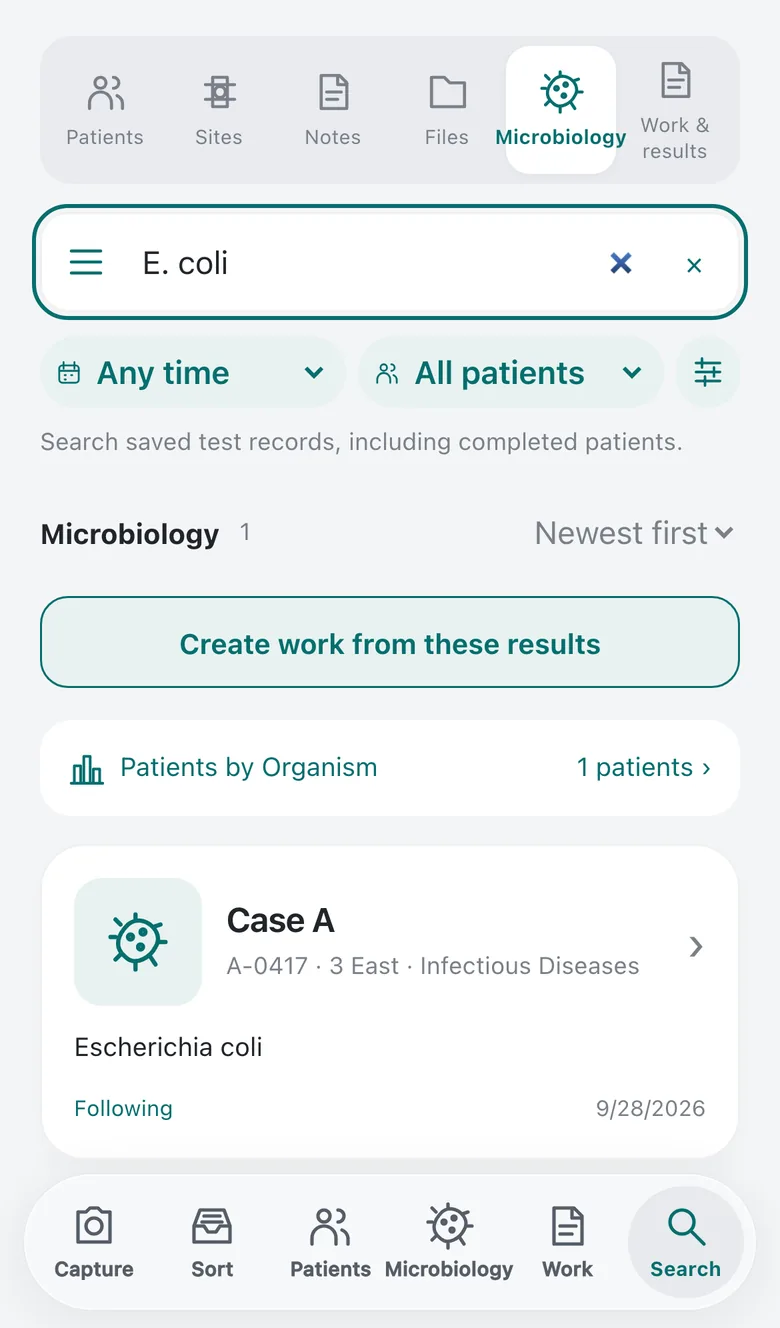
Microbiology
Start the record on the day the culture is sent and add the organism and susceptibility as they come back. Every patient under follow-up sits in one list you can show at a conference as it is.
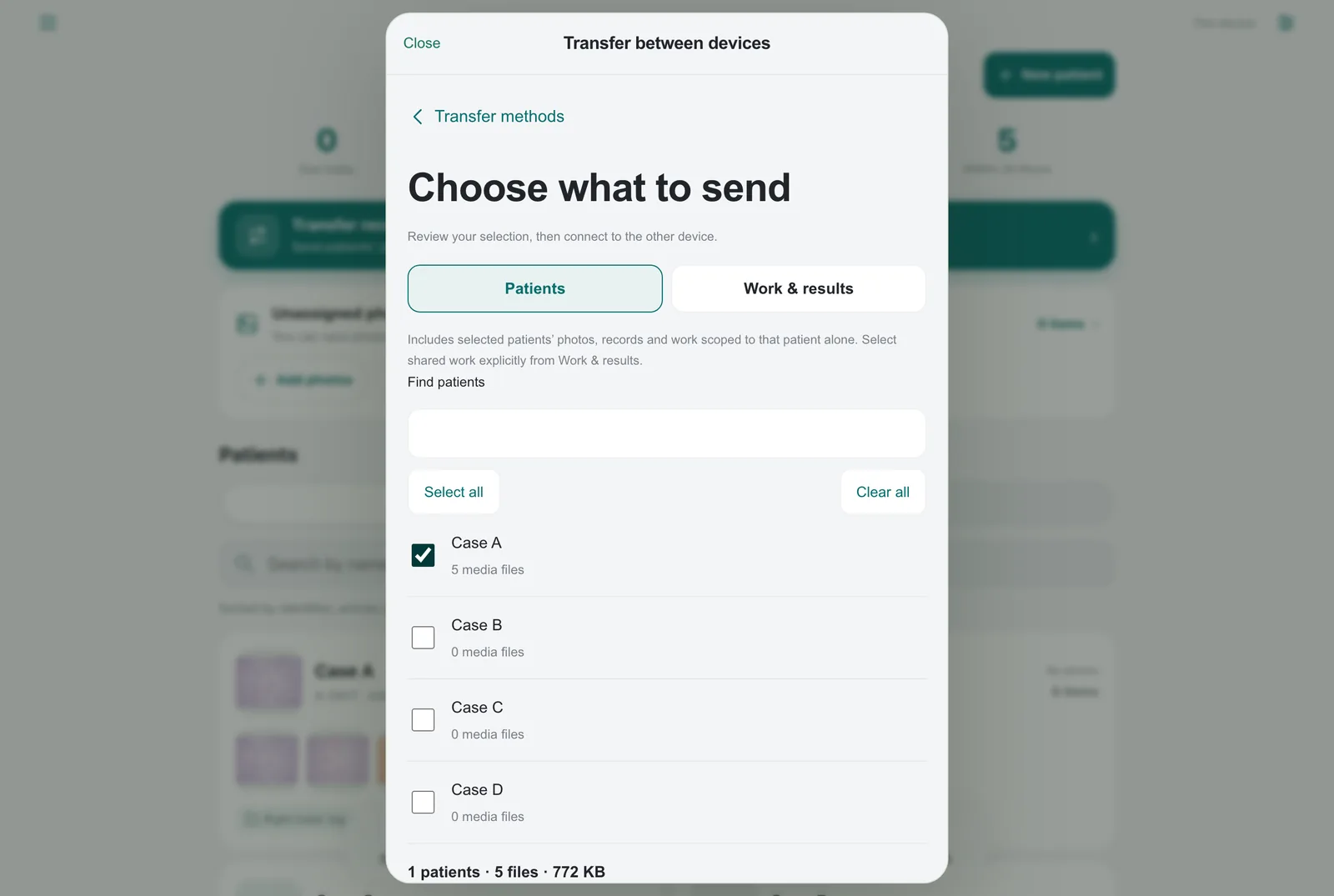
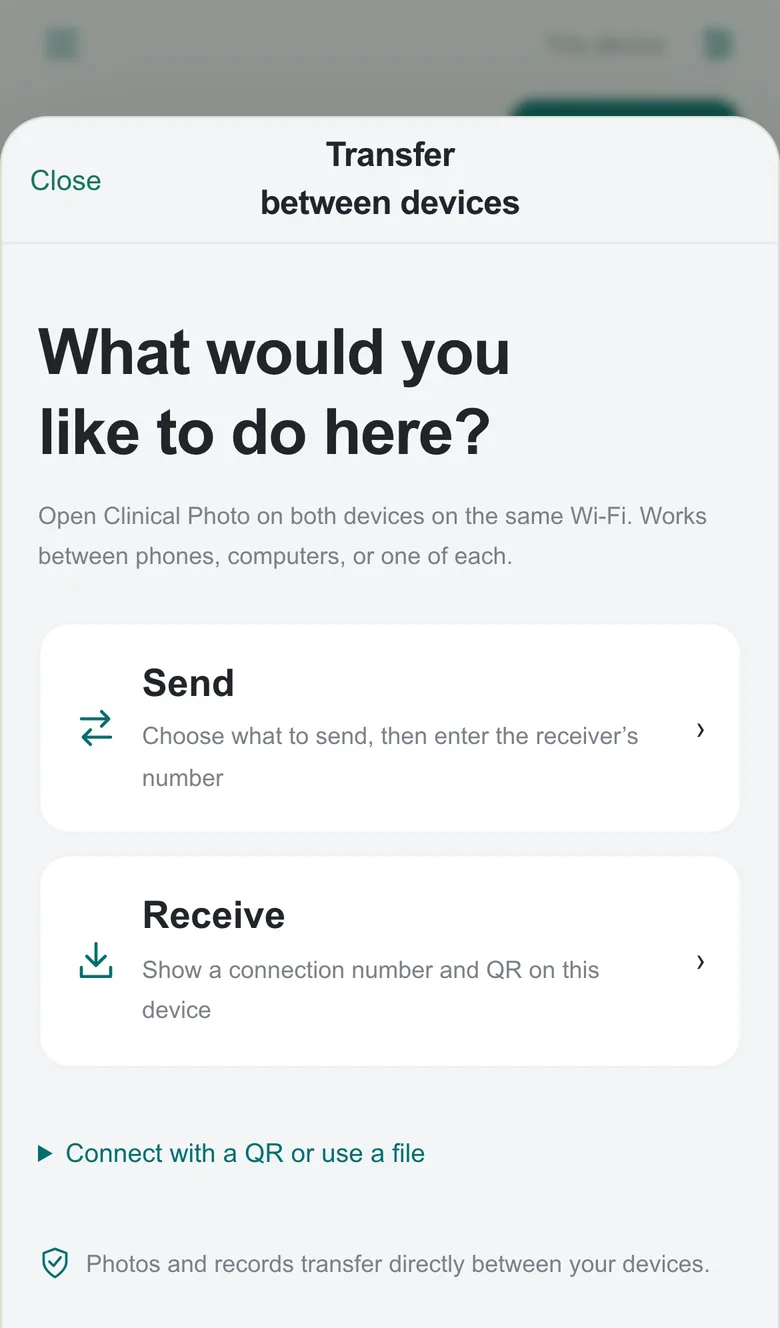
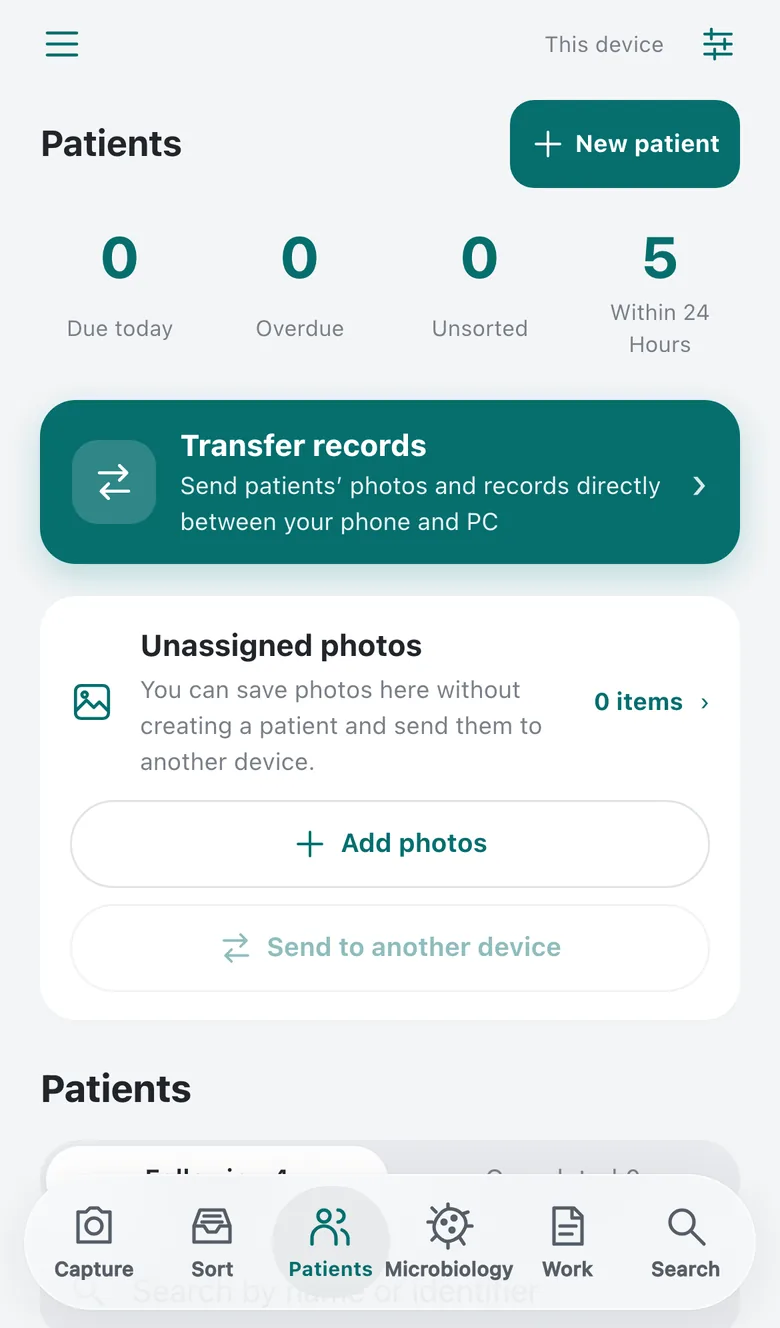
Transfer
Enter the number shown on the receiving device, or scan its QR code, to connect. The receiving device checks the count and contents before saving. Computer to phone works the same way.
Capture and organize
Use your device’s camera and import the photo into your chosen storage. Your device or camera app may also keep a copy in its photo library. Shoot without choosing a patient, then file the photos under a patient and site in Sort.
Comparison images do not demonstrate treatment effects.
Copy and paste
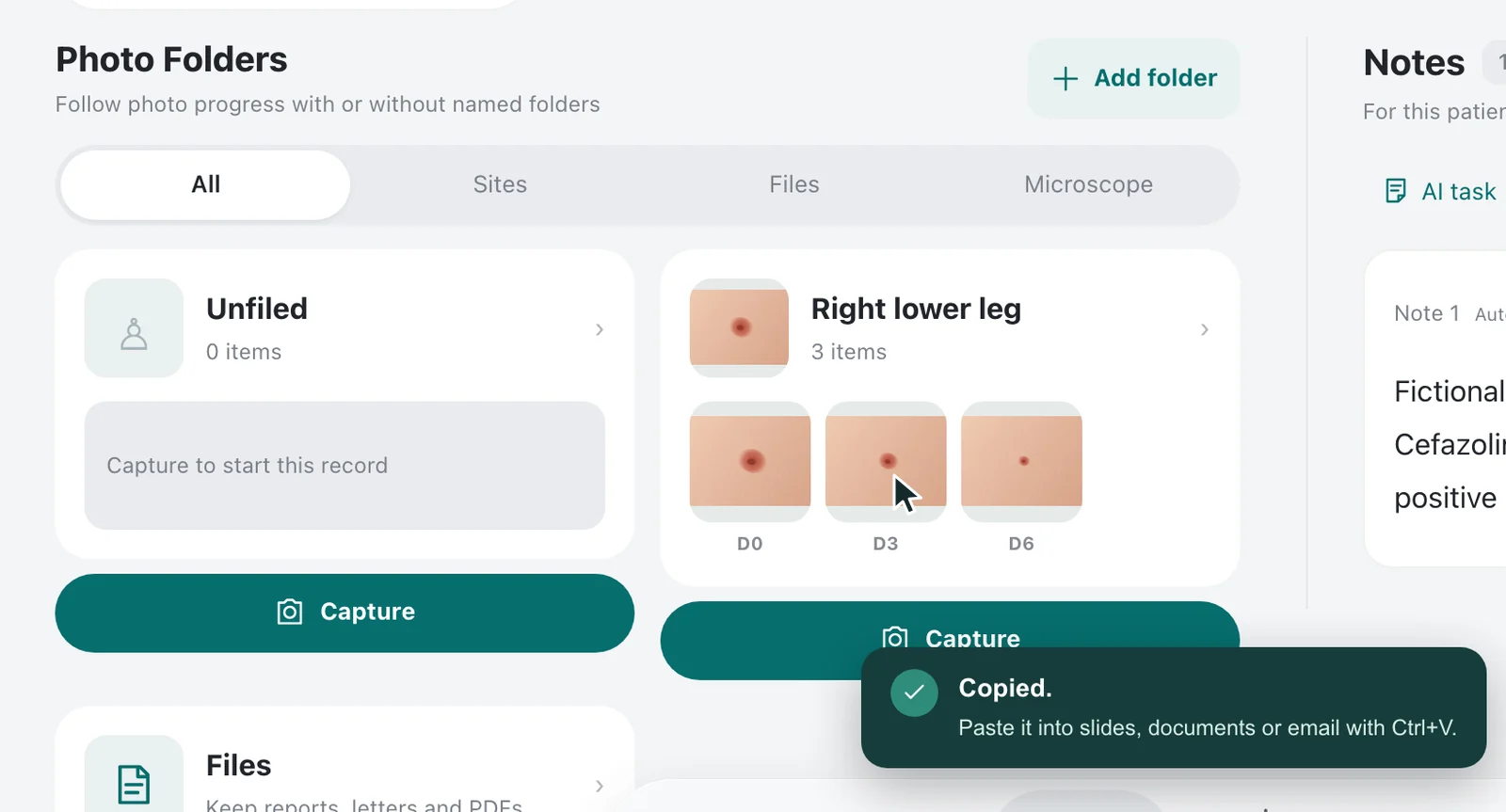
On a computer, hover over a photo and press Ctrl+C to copy it. Open your slides or document and press Ctrl+V, and the photo is in. There is no file to export and nothing to look for.
Over the photo, press CtrlC and the app confirms that it has copied.
In your slides, press CtrlV and the photo is pasted.
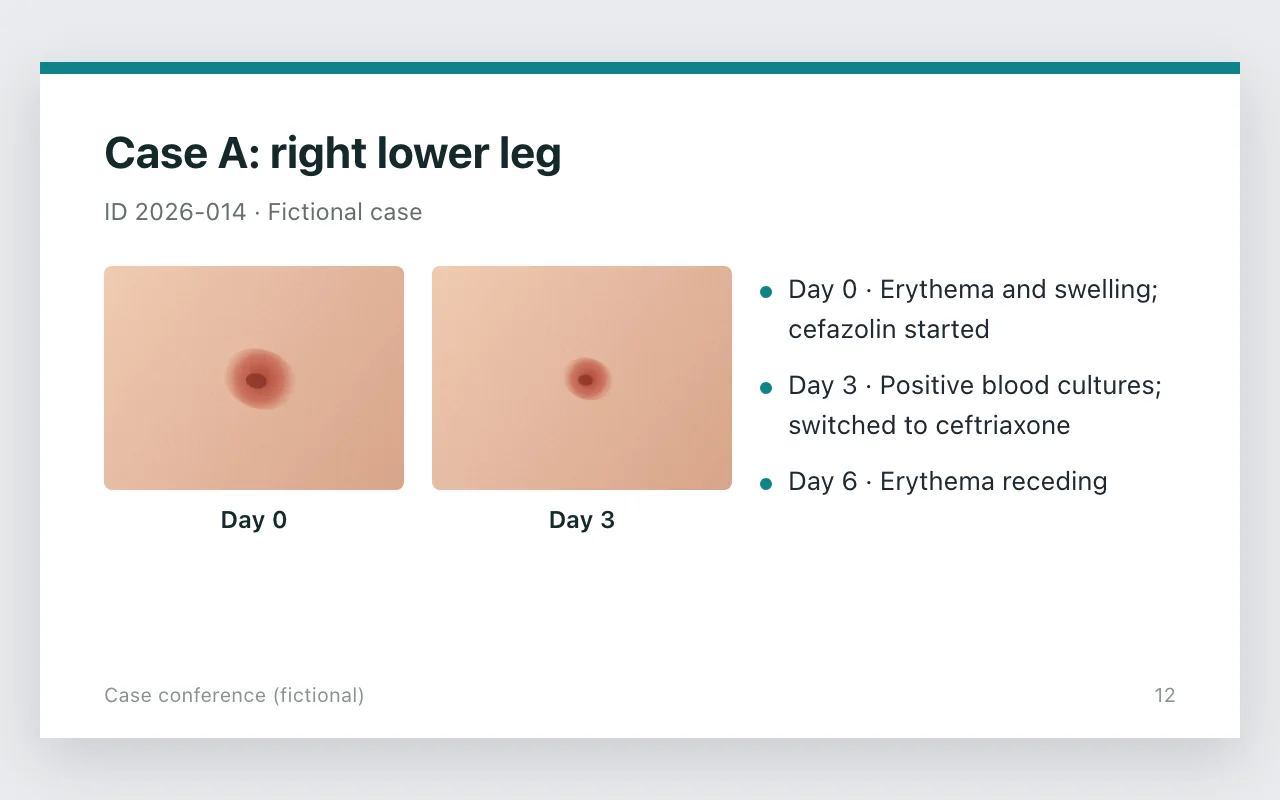
On a PC, press Ctrl+C (⌘C on a Mac) over the photo and paste with Ctrl+V (⌘V). On a phone, use the photo’s Copy button, then paste into messages, mail or documents. If the browser does not allow writing to the clipboard, use Export to save the file instead. The slide is an example drawn to show how a pasted photo looks, not the screen of any particular product.
Why it exists
Photos scatter across the camera roll, culture results slip away unless you chase them every day, and deciding where the photos should live is not simple either. This app was built from those three problems.
Wound photos from rounds scatter across the camera roll, and later nobody can tell whose photo it is or when it was taken. The more there are, the harder they are to organize.
For patients with positive blood cultures or resistant organisms, there was no single list of the organism, the susceptibility, the antibiotics being given and every change, so every conference started with a search.
Photos taken with the standard camera go to the camera roll and, depending on the settings, straight into cloud sync. Most convenient organizing services expect you to hand the photos to their servers, so they need institutional approval, which is often not granted.
That decision is the foundation of the app.
Storage and safety
On a computer they live in a folder you choose; on a phone, on the device itself.
Photograph only the affected area, and keep faces, wristbands, medical-record screens and anything with a name out of the frame. In the name, identifier and notes, do not enter names, medical record numbers or dates of birth; use values anonymized to the standard of a conference presentation.
Organizing, search and transfer all work without real names or IDs. The body site and side can be recorded on the body map.
Browser storage works on phones and computers. Turn on passphrase encryption in Settings to use manual and automatic locking. Encryption is optional and off by default.
In Chrome and Edge, photos and records are saved in a folder as ordinary image and JSON files. Copying the folder makes a backup. The app does not encrypt the folder, so choose its location and protection according to institutional policies.
Two devices joined by a number or QR code connect directly. The signaling service handles connection authentication and encrypted connection details; photos and records never pass through it.
Export a passphrase-protected file and merge it on another device without replacing what is already there. The operator holds no recovery copy.
Works with AI
The app itself never communicates with an AI. You simply open the photos and records saved in your computer folder in an AI tool. Using AI is optional, and the decision is yours, within your institution’s rules.
The app writes to the folder, and you open that folder in an AI tool.
How the exchange works
If you use AI, always follow these two rules.
Follow your institution’s rules and obtain permission before using AI. Prefer an AI approved by your institution or a local model, with settings that keep your input out of training, and check the provider’s data handling and terms.
Never put identifying information in a folder an AI will read. Anonymize the name and identifier fields to the standard of a conference presentation, and before the AI reads anything, check the photos for visible text or faces and the notes for names.
Sending data to an external AI service is your decision and responsibility, within your institution’s rules and the service’s terms.
Things you can ask
Once an AI has the folder open, you can ask for things like these.
Check the AI’s output against the original records.
Get started
On a computer or Android device, open it in Chrome or Edge and begin. On iPhone, open it in Safari or Chrome and add it to the Home Screen from the Share menu first.
Safari and Firefox cannot pick a folder and store records inside the browser instead. Folder storage is not encrypted by the app.
Adding from Chrome requires iOS 16.4 or later. If the option is missing, update iOS and Chrome, or add it from Safari. Device-storage encryption can be enabled in Settings after setup.
Clearing the browser’s site data removes the records, so keep backups according to your institution’s policies.
Before you start
The web app is free and requires no account. Connectivity, devices, storage equipment and any external services you choose may have their own costs.
Intended for work devices owned and managed by a healthcare institution. Obtain your institution’s approval and follow its operating policies. Institutional ownership alone does not authorize use. Confirm storage, device management and backup arrangements with your institution.
Use it in any specialty to organize photos by patient and site, review the course and prepare presentations. Dermatology, plastic surgery and infectious diseases are examples.
There is no automatic sync. Connect with a number or QR code, review the count and size on the receiving device, and approve each transfer. Keep the app open and connected on both devices. If a direct connection is unavailable, use an encrypted transfer file.
Browser storage on phones and computers uses the app’s database. Encryption is optional and off by default. When enabled, manual and automatic locking are available on computers too. Folder storage keeps originals and records in the selected folder, with supporting data in the browser. Neither the folder nor this supporting data is encrypted by the app, and folder storage has no app lock. Configure device protection and access permissions according to institutional policies. Clipboard history and sync after copying follow your OS and other software settings. Privacy Policy
The operator holds no recovery copy. Export an encrypted backup outside the app to an institution-approved location. Verify that the saved file can be read back and keep its passphrase safe. Back up or transfer records before clearing site data or replacing a device.
Yes. Open a photo, choose “Edit marks and masks” under the pencil icon, select “Black mask” and drag over the area to hide. Each mask is saved automatically. Masks are applied to copied images and ordinary photo exports. Device transfers and backups also include the unmasked originals. Before sharing, check that no text or faces in the photo and nothing in the notes could identify the patient.
Yes. Arrange selected photos on A4 pages, then print from the browser or save a PDF. You choose how many photos go on a page and whether the name, identifier and capture dates are printed.
After the first online preparation is complete, capture, organization, viewing and comparison work offline. App updates and connections between devices need network access. Check the app’s preparation status before going offline.
Yes. Every feature also works without AI. If you do use one, obtain your institution’s permission and never put identifying information in a folder the AI will read. The app itself never communicates with an AI.
It does not replace official clinical records or an electronic health record. Keep required records in your institution’s designated system. It does not diagnose, interpret images, recommend treatment or antibiotics, or quantify changes.
Clinical Photo·Web app
Open the web appWorks in a current browser. On iPhone, add it to the Home Screen first.Intended for work devices owned and managed by a healthcare institution. Obtain your institution’s approval and follow its operating policies.